



Showing posts with label Technology. Show all posts

Wednesday, March 27, 2013

Creating a Customer-Friendly Online Buying Experience

As consumers, it’s easy for us to just log in to Google and type in what we’re looking to buy. This is true even for people who are familiar with the ins and outs of eCommerce; you might be an SEO whizz, but when searching for something you need at a great price, the company’s keywords are the last thing on your mind.

So how many times have you clicked on one of the coveted top ten search results, only to view a website you’ll never buy anything from? Whether it’s the website’s design, some shoddy font they’re using, a general lack of info, or difficult terms and conditions, consumers are easily turned off by a multitude of unattractive aspects of online merchants.


Easy User Friendly Customer Visitor Buying Shopping Experience

Surprisingly, even so-called experts in the world of online marketing can commit fatal errors when it comes to converting site visitors into paying customers, and we’re not just talking about bounce rates. Read on for general tips on creating a customer-friendly experience that will make your marketing efforts worthwhile.

Give Customers what they Want
This means fulfilling your promises immediately. To promote your website, you’re likely using marketing techniques ranging from Adwords to email blasts and social media invitations. Customers need to see that you have what attracted them to click on your link immediately, and not a) have to look for it, or b) be greeted by a bait and switch tactic offering them something else.

If you promise low-cost office supplies, for example, the customer should be able to click on a paper or pen category right on your home page where they can then make a purchase. Visit www.OfficeAllSorts.co.uk for a great example of a company that gives website visitors what they want right away.

Instill a Sense of Trust
This can be hard to do immediately, but your customers need to be able to see that you are a trustworthy and competent player in this game. A professional, SEO-friendly website design, displaying a safe payment method and drawing attention to any trusted merchant certifications you may have are just several ways of bringing the customer in and making them feel secure.

Pretend you are the Customer
What is it that makes you want to buy from a website? We all know just how much competition there is out there, and how easy it is to just jump to a different website that offers more for less.

Don’t be undersold- make sure to conduct thorough research of your competitors and what they are offering. This might force you to make some tough decisions regarding the products you can realistically expect a good return from, but you can’t ignore this information.

Include a detailed description of any product or service you offer, so that the customer feels comfortable that they are making an informed buying decision. Make your contact information easily visible for any further questions.

Offer free shipping and handling whenever possible- this is one area in which many eCommerce businesses fail. But again, if just by factoring in the shipping a product becomes unprofitable, you probably shouldn't be selling it.

Lastly, be easy deal with when it comes to returns. Despite your best efforts, some things simply won’t meet your buyers’ expectations. You want loyal customers who will return to your site, so be sure to process any returns and address customer complaints efficiently.

Remember that by creating a customer-friendly online buying experience you are not only encouraging your clients to return, you are building your online reputation. Make sure to give your site visitors what they want, show that you can be trusted and really get inside your customers’ heads to ensure they have no need to go elsewhere. 
Sunday, February 10, 2013

Best 5 Midsizers - 2013

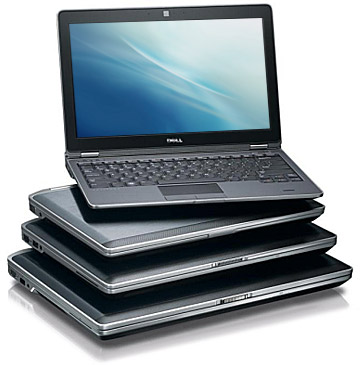
Midsize laptops fall under the range of 14-16 inches in which the most common size that we have is 15.6. These laptops are most common in offices, at home or with students. These are not the most comfortable one around, especially if you have to bag it on your shoulder and carry it all day long. Although the new tablets, phablets and convertibles are in trend with all age these days, but the midsize machines have their own place. These are the best blend of price, features and performance.This article focuses on the midsizers (so we are not going to talk about how awesome the new tablet is that you just bought). Below we have the Best 5 Midsize laptops that we have so far.

Cheap Laptop Notebooks Mini Affordable

Apple MacBook Pro with Retina Display
Apple MacBook Pro is the best of the MacBook breed.It combines the style and design of MacBook Air with Retina Display to form a magnificent machine.The resolution of the device is beyond comparison. Videos, images, even the simple text looks amazingly clear. It combines all powerful components including Nvidia GPU, which makes it a complete high-end desktop replacer. But on the other side, MacBook Pro with Retina Display is priced too high (near about $2,199 or above) and lack of Ethernet jack, optical drive and few other components makes it inconvenient at times. Also, being thinner and lighter than many other laptops of competing brands, it is still not that travel friendly.

Acer Aspire M5-481PT-6488
If you want a “no-risk” machine that works on Windows 8 and gives you a touch feature without costing you a fortune, then this machine is the best to choose.This midsize laptop (14-incher) has a metallic body with great performance and an excellent battery life. The device also gives you a DVD drive and a touch-enabled screen. And all these is a highly manageable price ($ 799 and above). The areas where this machine falls is a touch quality touchscreen and lack of dedicated graphics.

Lenovo ThinkPad X1 Carbon Touch Ultrabook
Lenovo is known for its business-oriented laptops and Lenovo ThinkPad X1 Carbon Touch Ultrabook is one of those machinesthat has all must-haves required in a business laptop and yet has a very impressive appeal. The device costs around $1,319 and operates on Windows 8. It combines a tremendous keyboard and a touch interface to enjoy Windows 8. However, the touch-screen makes the lid thicker and the touchpad is finicky at times.

Dell Inspiron 14z
With Dell Inspiron 14z, Dell has managed to give people an upscale feel to a mainstream midsizer. This laptop is comfortable to pocket (around$899)and includes an Intel Core i5 CPU and a discrete AMD graphic card. Considering the features that Dell offers with this device, its cost is very reasonable. But its average battery life remains its weak side. It is adequate, but not enough to get you through an entire day.

Dell XPS 14
This laptop is a worthy competitor to MacBook Pro. In fact both systems share similar aesthetic. However, the new Dell Inspiron Ultrabook is nearly as good as Dell XPS 14 and that too in a much lower budget. XPS 14 costs around $1,499 and is a very powerful machine (both build and feature wise). It is sleek, attractive and combines Intel Core i7 CPU along with dedicated graphics. The machine however does not combine an optical drive and is way to heavy compared to many other 14-inch midsizer.

Monday, January 7, 2013

Handheld Devices and Work Order Management

Most people can’t do without their smartphones and handheld devices. These recent pieces of tech are the peak of convenience, giving you access to all kinds of information and services from all over the world.
Many companies, primarily those in maintenance and engineering sectors, have integrated handheld devices with effective Work Order Management Software yielding some varied results. For some organizations, handhelds have improved efficiency and data collection; for most, however, handhelds only led to faster collection of poor work order and asset data.

Handheld Devices Work Maagement

If you’re considering incorporating handhelds into your workflow, here are some tips to help you pull it off properly.

Cleaning Up Data and Documentation
One of the biggest issues that come with migrating to handhelds is the assumption that all prior problems will automatically vanish. However, if your technicians or employees have poor discipline when it comes to documentation and completion of work requests, switching to handhelds only exacerbates things. You may actually see a decline in the data’s accuracy and quality.

Before you even switch over to handhelds and Work Order Dispatch Software, ramp up the discipline surrounding your work order documentation system. As annoying as it might be, paperwork is part of the job. Maintaining quality paperwork completion will help streamline the process and ingrain good habits into your technicians.

Introducing Handhelds
Once your technicians have a good handle on creating quality written work orders, they’re ready to switch over to handhelds. Start by explaining the value of using handhelds in your particular work situation. You or your manager in charge should begin tracking handheld use in terms of daily and weekly work request completions.

In the past, handheld devices were clunky, far from convenient, and often had to be plugged into larger computers to upload and download data, but those days are long gone. Smartphone’s, tablets, and iPad’s changed the game. Some simple training with customizable CRM software lends itself to near instant proficiency. Your technicians can write work orders, perform preventative maintenance procedures, and review drawings and schematics all from a single device without the need for a docking system.

Focusing on Quality
Handhelds or not, quality is where things count. Don’t allow your technicians to skimp on quality just because they have some automation at their fingertips. With the right setup, your technicians and dispatch should have no problem with improving their asset and work order data.

Wednesday, December 26, 2012

Microsoft Products and the Support, to the Users of their Products

Microsoft is a multi-national company with its origins in America that develops and manufactures different kind of computer products, both hardware and software, and provides services related to computing environment. It also provides licensing services and support related to the computer and its products. The company was established and formed on 4th April, 1975 by Bill Gates and Paul Allen and has headquarter in Redmond, Washington. Compared on the basis of revenues, Microsoft is the largest software manufacturer in the world and is considered the most valuable company in the global corporate market.

Microsoft Product Support Assistance Help Live

Originally formed for the purpose of developing and providing BASIC interpreters for the then newly developed micro computer Altair 8800, the company gained prominence in the computer market in mid 1980s by developing MS DOS operating system for micro computers. Soon after the recognition and popularity of MS DOS operating system, the company’s share price began to increase. Microsoft then started focusing its business on development of operating system software for micro computers.

From 20th November, 1985 till date, Microsoft has developed a series of operating systems known as Microsoft Windows. These operating systems have a more appealing User Interface with improved graphics and animations. The prominent improvements in these types of operating systems is the ability of the users to perform multi tasking which was absent in MS DOS. Also the new User Interface allowed the computer users to operate it with ease even the individuals who did not have any technical expertise and Computer Repair Services in the field of computers could easily operate windows due to its simple and easy User Interface.

Along with the operating systems, Microsoft developed some other software for business and home usage purposes and provides online support including Microsoft live support, Antivirus Support and other support. Prominent among these include MS Office, MSN and Microsoft Internet Explorer. Microsoft has also developed its own tablet PCs that were introduced in the market in June 2012. Cellular phones developed by Microsoft Company that are known as Windows Phone are also available in the market.

Microsoft is also famous for its support services that it provides to the users of its products. This support can be obtained at any time or at any place as its outlets are in almost every part of the world. However Microsoft online support is also available to the users who are having issues with their Microsoft application. There is technical support staff available on the website of Microsoft that can help you with almost all of your queries and issues regarding the Microsoft software that you are using. All one has to do to gain the online tech support is to create an account ID using the receipt number that he has obtained while purchasing the Microsoft software. Once the ID is created, the user can access the support section and get his/her query solved. There are also FAQs present on the website that can help in solving the most common issues that people encounter while using the products.

Microsoft also has a separate section of Microsoft Windows Support that deals with the problems relating to the windows operating system. Whether it is minor glitches in the windows interface or severe problems as programs crashing and forced shutdown, all of these troubles can be taken care of with the help of technical support that is provided by Microsoft Company to its customers. There is a troubleshooting file provided with Microsoft Windows that can help the users with commonly known issues. More technical issues can be solved by obtaining online help from a technician on Microsoft website.

There is also a section made by Microsoft that is known as Microsoft Live Support that can help and guide users regarding the upgrades and updates that are available for their software. It also provides technical assistance in optimizing PCs performance by notifying the user about any latest drivers and software that are available that can help in optimizing their PCs performance.

Tuesday, December 4, 2012

Video Conferencing and How it can Benefit Businesses

Video Conferencing is an interactive system that allows both visual and audio to be transmitted during a conference call. It is commonly used in businesses to replace meetings. Here we outline some of the key benefits you will receive by purchasing a video conferencing unit.

Video Conference Benefits Advantage Business Room Design

No Travel Costs
In today’s economy finding new business opportunities can be tough; you may have to look further afield than your local area. If money is tight then you may not be able to justify of travelling. However, research has shown that the majority of business trips can be eliminated as the meeting can take place on a video conferencing unit. With the latest advances in technology the quality of the sound and picture on a video conferencing system is so good it is like having the other guests in the room with you. Therefore, the ROI when investing in a video conferencing system is huge and lasts for years. To calculate the ROI on a video conferencing unit multiply the number of trips taken per year by the cost to travel, including; expenses and the salary of the time lost whilst travelling. Then compare this figure against the cost of purchasing a video conferencing unit. If your business makes a lot of business trips per year, you will see that the cost of travelling for business meeting far outweighs the cost of a video conferencing system.

Increased Productivity
One of the main challenges in a business environment is to work as a team when the team is in different locations. Communication can decline between team members when they’re not in the same room. Most communication takes place either by e-mail or telephone; however the visual cues are lost. Research has shown that we interpret communication better when we can see the person we’re communicating with. Adding video into the mix here will improve communication between team members and interpretation of the work involved. Some emotions are impossible to understand through an audio conversation alone. Take confusion, concern or satisfaction for example, these are emotions that can be understood without the other person having to express it verbally. Video conferencing has also shown that it leads to decisions been made quicker and will increase productivity across any organisation.

Improved Recruitment
Recruitment can be a huge expense for any company especially when candidates and interviewees are coming from other areas. Having a video conferencing system in your business will allow you to conduct interview over the video conferencing unit. The beauty of video interviews is that they can be recorded and played back to other people in the organisation involved in the decision making.

Staff Retention
By incorporating video conferencing into daily activities your organisation can allow more staff to work from home. This can lead to high staff retention levels as one the main reasons employees leave jobs is the commute they face to get to the office.

 Competitive Advantage
You’re more than likely to maintain a competitive advantage by employing a video conferencing unit. If your business is call centre based, using video conferencing is one way to improve the user experience – people are more likely to trust someone they can see.

Environmental Initiatives
As video conferencing reduces the need to travel, it is a ‘green’ product that can be included on your corporate social responsibility report. Using a video conferencing system will significantly reduce your company’s carbon footprint.
  • When purchasing a video conferencing unit it is important to keep the following factors in mind;
  • Number of sites that will need access to the video conferencing system
  • The maximum amount of people you would like to participate in one call
  • The size of your room
  • Internet connection; a broadband connection is required for Video Conferencing to work at its full capacity


Wednesday, November 28, 2012

Positive Impact of Modern Technologies

In current's modern era regarding technologies IT products like computers, machines, modem, ink jet laser models, scanners and other related add-on products have grown to be any legislation. Regardless of the size the company either large or even little, company That support companies are needed through all businesses these days because the usage of personal PC’s, web, having business web sites through organizations and e mail communication is becoming the typical company exercise. Getting one of the main reasons for the increase within side the need for small company IT support United kingdom suppliers all over the world as any operate a computer these days however when comes to troubleshooting or even installing or even improving brand-completely innovative That techniques a single simply requires the professionals for the job.

There is any trend earlier where organizations make use of to employ IT as well as support staff to ensure procedures operate correctly however this training turned out to be too costly as the This personnel experienced not carry out when the procedures have been running smoothly. This is when IT assistance service providing companies started to be very useful while they greatly reduced the particular in business price of several agencies through lowering the actual expanse of getting a good IT help staff and also getting the right companies of those This assistance companies only once it's required by the business personnel.

  PC Support Technology Modern Technical

 Businesses searching for services like IT desktop Technical Support PC aren't in reality needed to employ assistance staff independently as they possibly can easily get providers of the quantity This assistance service providers who are able to provide them with restore pc on the internet United kingdom to ensure their operations run smoothly as well as hassle free. This kind of training associated with acquiring companies coming via away found That support providers provides aided several organization to cut back functional price and spend money on additional division increasing the viability of these services and products and this is the reason why the trend regarding freelancing This help has grown enormously. Also smaller company which were unable to retain the services of That employees previously for their cheap can also obtain services of the That assistance organizations nowadays with regard to possibly installment, upward gradation, or troubleshooting of these systems.

 There are a number regarding reputable and reliable IT help as well as service providers around the world offering full this solutions in addition to assistance services to enterprise organizations with various pair of requirements ensuring their operations run smoothly. Numerous these kinds of That assistance organizations offer technical support on the internet for immediate reply as well as quick resolution of the concern through remotely being able to access the required system. Also because these This help organizations have got example of working with several different businesses and also businesses they will effortlessly reach the root cause from the difficulty and swiftly make your system operational through managing the problems both providing tech assistance on the internet United kingdom by remote access or through bodily coming to the client of their property. This kind of the primary reason for your rise in demand of these kinds of This help and service providers because not the business agencies happen to be able to cut down on their own field but you are also able to get the expertise of the experts out there.